
Getting Started
System Requirements
- Windows: 10 or later, on x64 or ARM64
- Linux: GTK3 library required (e.g. Ubuntu 22.04 or later), on x86_64 or ARM64
- macOS: 10.15 or later
Installation
Windows
Recommended: install with winget
bash
winget install SunJary.NetAssistantTo upgrade later, simply run:
bash
winget upgrade SunJary.NetAssistantAlternative: download the latest version from the GitHub Release page. On ARM64 devices (Surface Pro X, Snapdragon laptops, etc.) neither winget nor the installer is available — download netassistant-windows-aarch64.zip instead.
Linux
- Download the latest deb package from the GitHub Release page (recommended for Debian/Ubuntu and derivatives, Ubuntu 22.04 and later)
- Install (dependencies resolved automatically):
bash
sudo apt install ./netassistant-linux-x86_64.deb- Launch from the application menu, or run
netassistantin a terminal
On other distros, use the AppImage (portable, first run needs sudo apt install libfuse2) or extract the tar.gz and run the binary directly.
On ARM64 devices (Raspberry Pi 5, ARM servers, etc.) replace x86_64 with aarch64 in the filename above.
macOS
- Download the latest macOS archive from the GitHub Release page
- Extract the archive and drag NetAssistant into the Applications folder
- Right-click the app and choose "Open" to run it (required on first launch)
See the Download page for more details.
Your First Debug Session: Three Steps
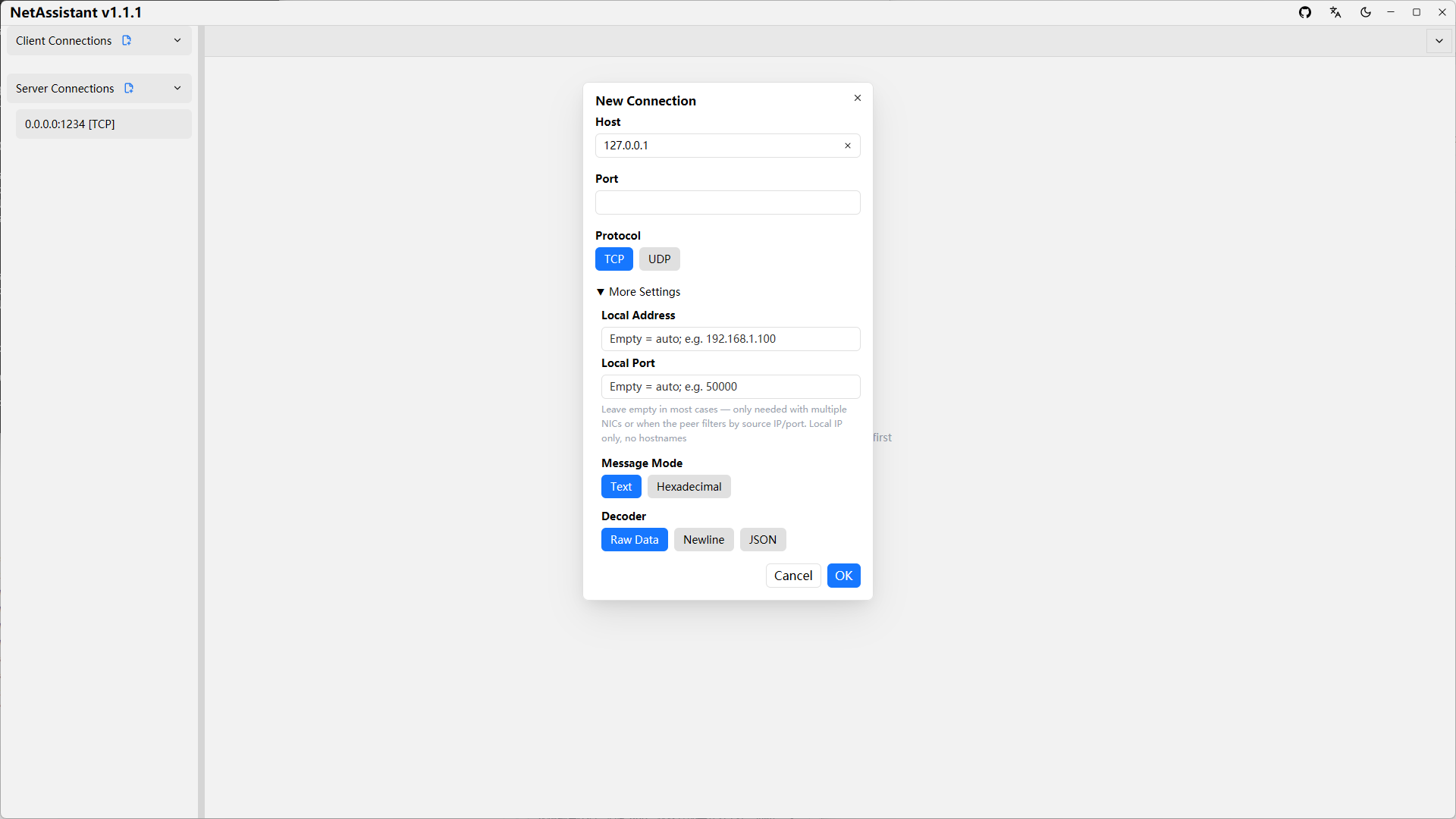
- Create a connection: click the
[+ New]button in the left panel, choose the connection type (client/server) and protocol (TCP/UDP), then fill in the address and port. After creation, you can configure the TCP decoder type on the connection detail page. - Start the connection: for a client connection, click
[Connect]; for a server connection, click[Start]. - Send a message: choose the send mode (text or hex) above the input box at the bottom, type your content, then click
[Send]or press Enter.
Next steps:
- Running into sticky packet issues while debugging TCP? → Read TCP/UDP Debugging
- Need to simulate peer responses, send periodically, or run stress tests? → Read Stress Testing