
Stress Testing
NetAssistant ships with a built-in TCP/UDP high-concurrency stress test engine for evaluating a server's concurrent throughput, latency distribution and stability. The engine is a standalone logic layer with zero GPUI dependency, and uses a token bucket for precise send-rate control.
Configuring a Test
- Switch to the stress testing page via the "Stress" entry on the tab bar
- Fill in the target address, port, number of concurrent clients, send rate and message content
- Message content supports variable templates (see below)
- Optionally set the "Trailer" (Inherit / None / LF / CRLF), appended to each packet on send; "Inherit" follows the message panel's suffix setting
- Choose the test mode and connection mode
- Click start; the stress test config is saved automatically and restored the next time you open it
Test Modes
| Mode | Description | Use Case |
|---|---|---|
| Ping-Pong (round-trip) | Wait for a response after each send and collect RTT latency (p50/p95/p99/avg/max) | API performance testing |
| Throughput | Send only, no waiting for responses, no latency stats | Maximum throughput testing |
Connection modes: short connection (a new connection per request) and long connection.
Variable Templates
Message content supports the following variable templates, replaced dynamically on each send:
| Template | Meaning |
|---|---|
${seq} | Global sequence number |
${worker_id} | Worker thread ID |
${counter} | Local counter |
${timestamp} | Timestamp |
${uuid} | Random UUID |
${random:min:max} | Random integer |
Real-Time Metrics
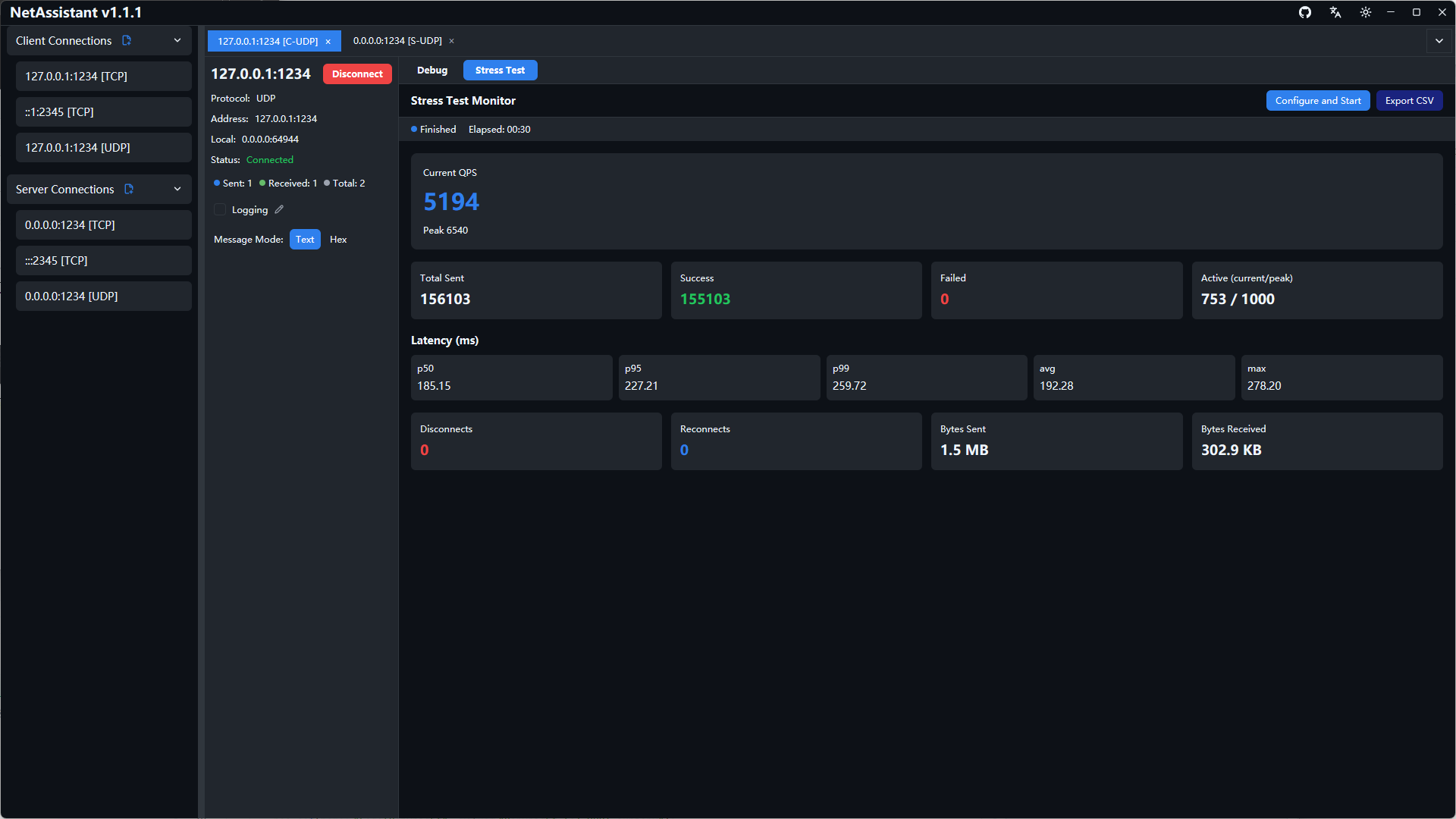
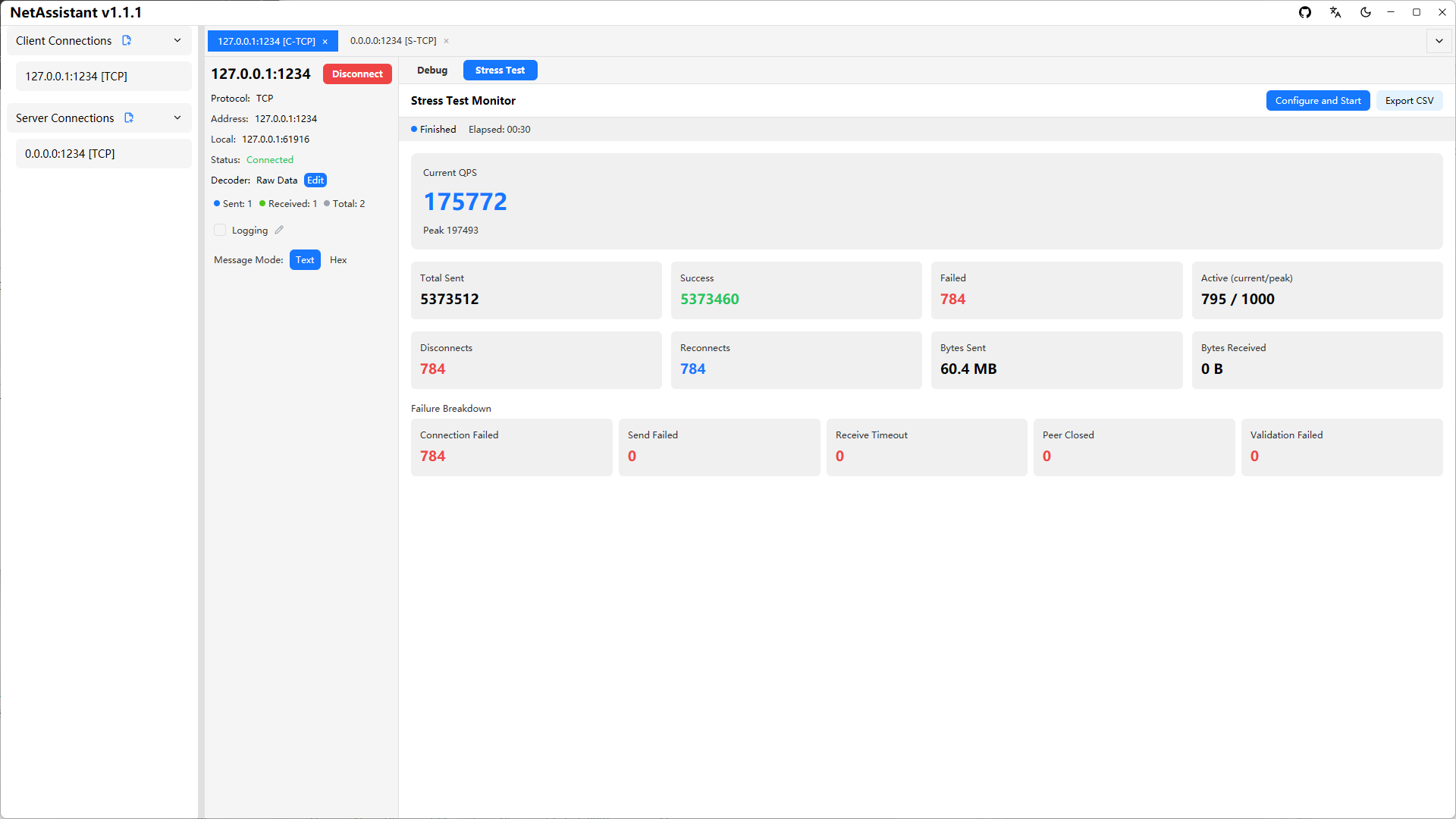
While the test is running, the stress panel shows in real time:
- QPS: current value and peak
- Send stats: total sent / succeeded / failed
- Connection stats: active connections (current/peak), disconnects/reconnects
- Traffic stats: bytes sent and received
- Latency percentiles: p50 / p95 / p99 / avg / max (Ping-Pong mode only)
- Failure breakdown: connection failure / send failure / receive timeout / closed by peer / verification failure, to help locate bottlenecks quickly
Report Export
After the test finishes, you can export a detailed statistics report in CSV format; click the stop button at any time to terminate a running test.