
Features
NetAssistant is a high-performance, modern cross-platform network debugging tool built with Rust, designed for developers and available on Windows, Linux and macOS, with native builds for both x64 and ARM64.
Core Features
- Multi-protocol support: full support for TCP/UDP client and server modes
- IPv4/IPv6 dual stack: supports both IPv4 and IPv6, adapting to any network environment
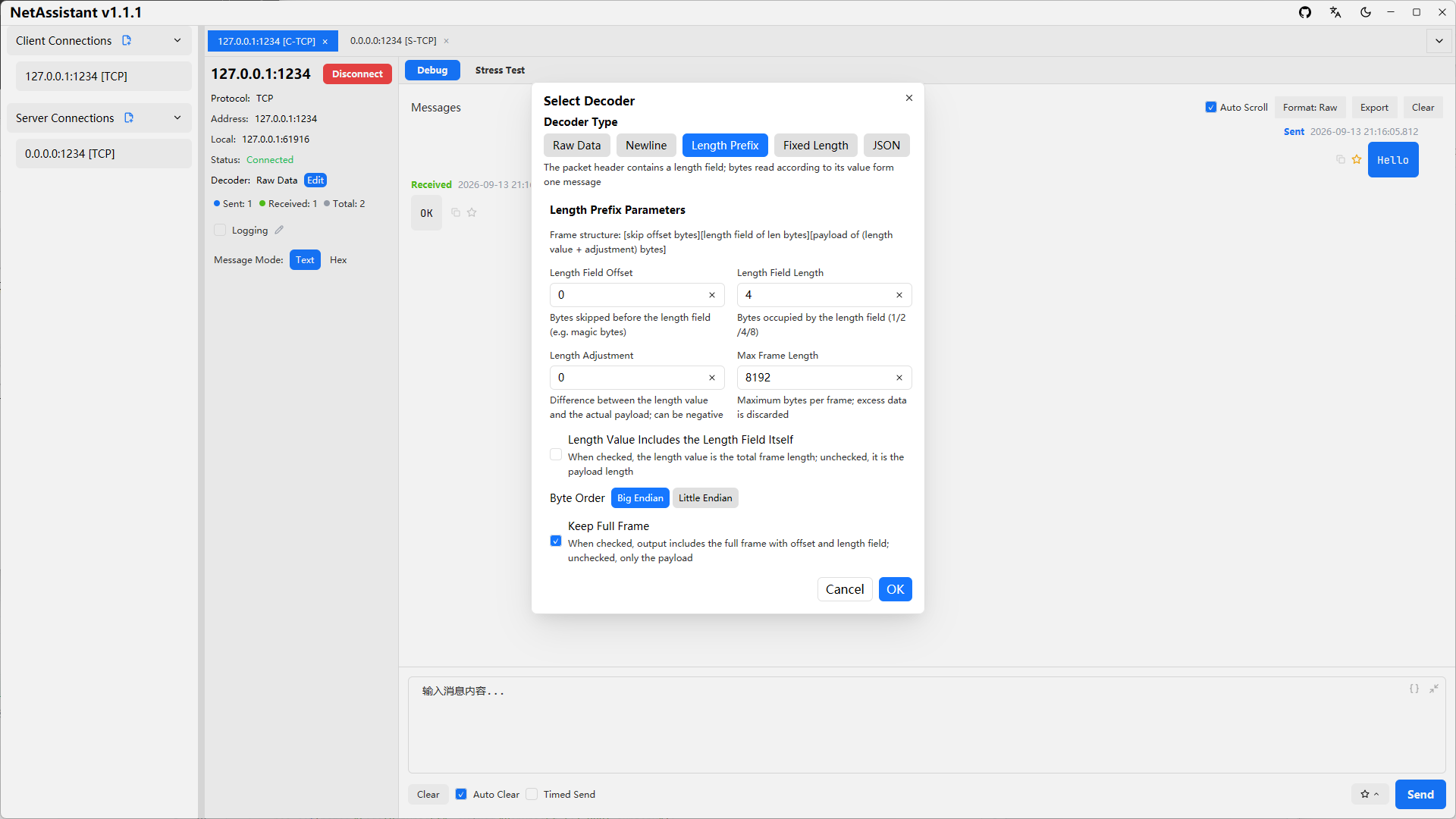
- Multiple TCP decoders: raw data, line-delimited, length-prefix and JSON decoders for different protocol formats, effectively solving TCP sticky packet issues
- JSON formatting: the send box offers "Prettify/Minify" buttons in text mode to format the outgoing payload; the receive area can switch between Raw/Prettified/Minified display formats globally, with non-JSON content shown as-is
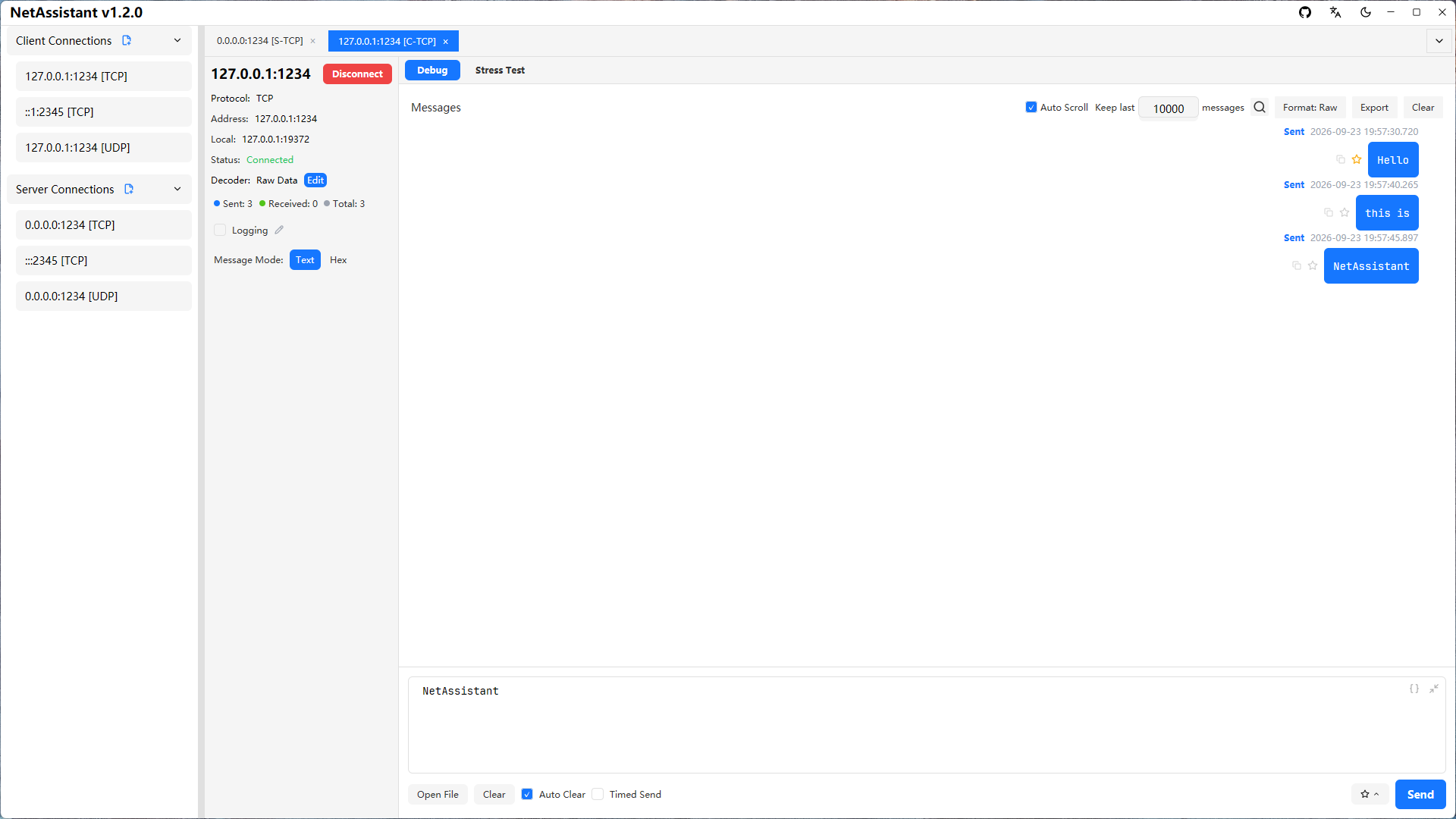
- Chat-style message log: intuitive display of packet exchanges for easier debugging and analysis
- Persistent configuration: connection configs are saved automatically and restored on the next launch
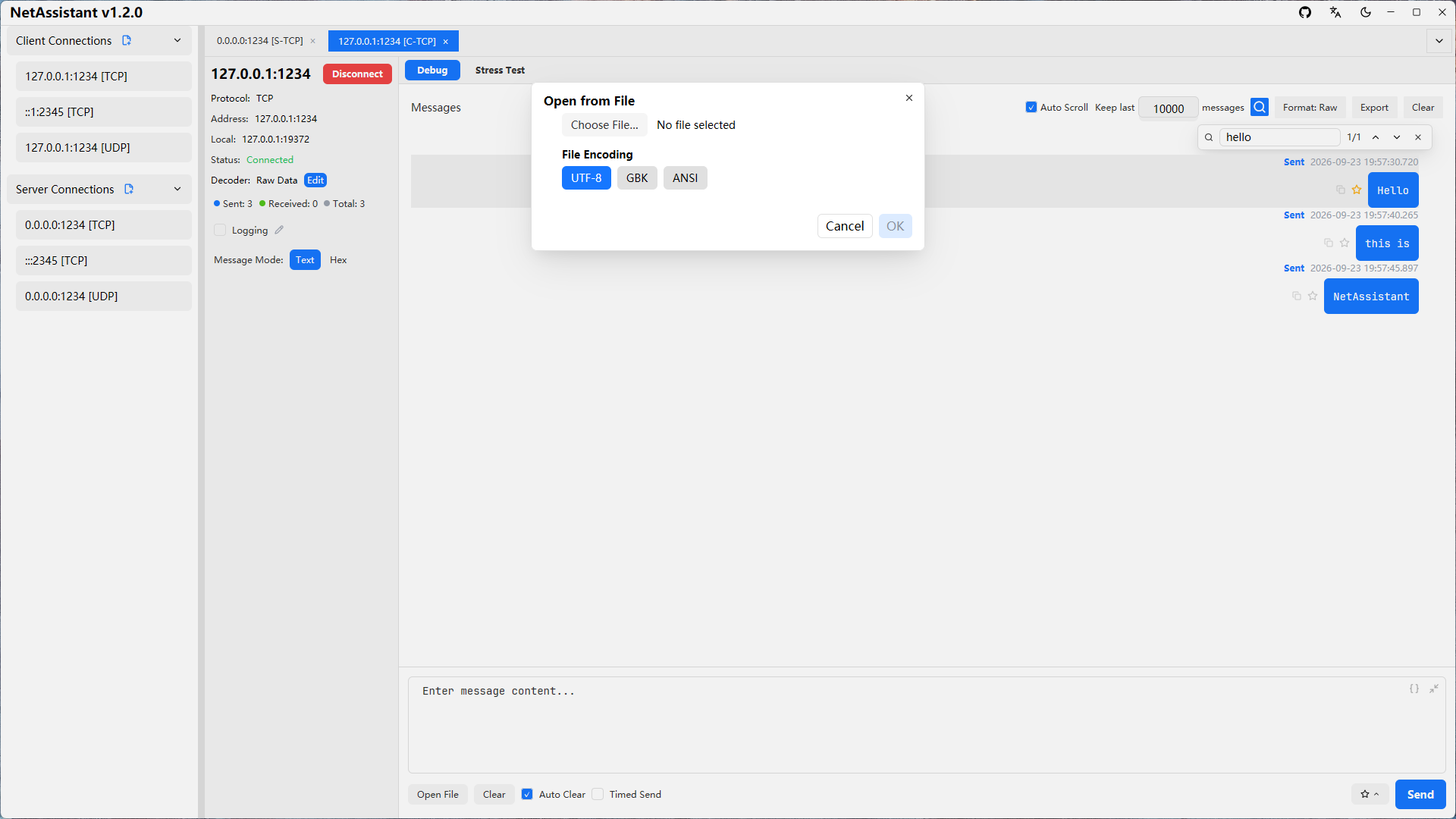
- File data source: read a local file into the send box as a payload, with UTF-8 / GBK / ANSI encoding selection and content preview, human-readable file size, and a 1 MiB limit
- ASCII ↔ Hex conversion: switching between text and hex mode converts the content as UTF-8; the context menu's "Convert to Hex / Convert to Text" shows the result in a window you can copy from; non-printable bytes are escaped as
\xNN, and round-tripping is byte-for-byte
Message Management
- Copy message: quickly copy a single message to the clipboard, in either text or hex format
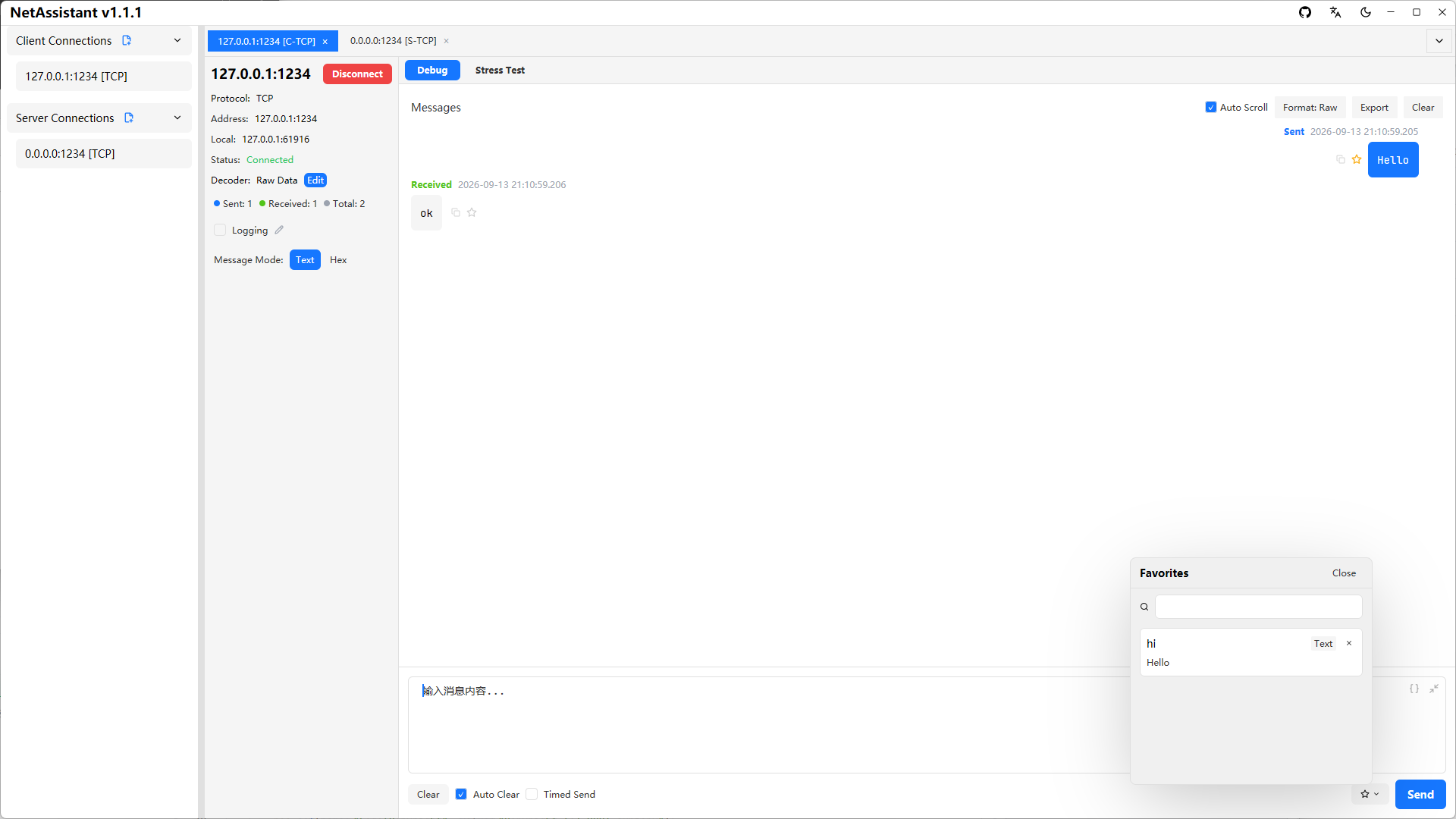
- Favorite messages: add important messages to favorites with optional remarks, and locate them quickly via keyword search
- Real-time logging: once enabled manually, all sent and received messages are written asynchronously to a log file in real time (flushed to disk per message), with a customizable save path; the log is flushed and closed automatically on disconnect
- Manual export anytime: export the current message history to TXT/JSON/CSV files at any time for archiving, sharing and further analysis
- Smart UDP broadcast reply display: optimized for host workstation / IoT device discovery scenarios — send a command to a broadcast address and receive replies from all devices; replies from unexpected addresses are highlighted in red so no important response is lost
- Connection config editing: saved connection configs can be edited directly, no need to delete and recreate
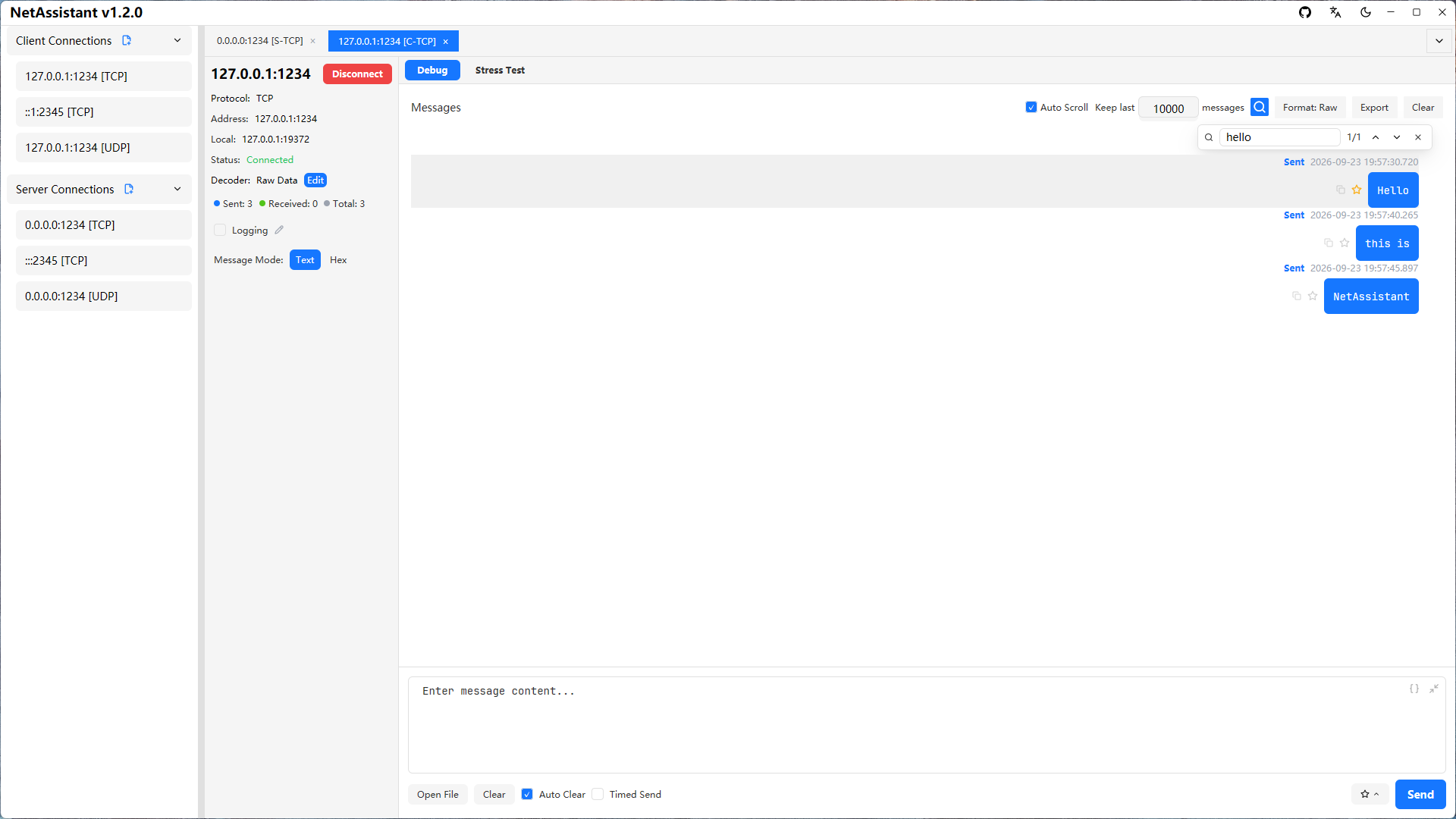
- Message search:
Ctrl+For the toolbar magnifier opens a non-modal search overlay with a livei/nmatch counter; jump ring-wise withEnter/Shift+Enteror the up/down buttons, and the matching row is highlighted and scrolled into view - Message count cap: configure "Keep last N" messages (default 10000,
0= unlimited); once exceeded the oldest messages are dropped to bound memory usage. It is linked to auto-scroll, so nothing is dropped while auto-scroll is off
Automated Testing
- Reply rules: a per-connection rule engine that matches incoming frames by byte-level conditions (contains bytes, fixed exact/masked, prefix + length range, byte/integer at offset, suffix, regex, source address, checksum validation, and more, arbitrarily nested with all/any/not) and replies automatically; replies support received-frame and dynamic variables and can set their own encoding; rules are scoped per connection with enable/disable, drag-to-reorder, trigger counts and an inline test run
- Message variables: the send box, timed tasks and reply rules all share general variables such as
${seq}, time,${uuid}and${random:min:max}, plus received-frame variables${rx.*}, checksums generated at send time and${= expression } - Send tasks and timed tasks: send imported files or pasted lines one per line (with interval, looping and round limits); each connection can add a timed task to send a heartbeat at a fixed interval — both show progress in the task panel with pause/resume/stop
- Periodic send: repeat the current send-box content at a set interval for long-run stability testing or device heartbeat simulation
- Stress testing: built-in TCP/UDP high-concurrency stress test engine, see the Stress Testing Guide
Modern Interface
- Dark mode: adapts to the system theme automatically for a comfortable night-time experience
- Multi-tab management: manage multiple connections at once, easy to switch and compare
- Per-client message view: in server mode, view messages of a specific client
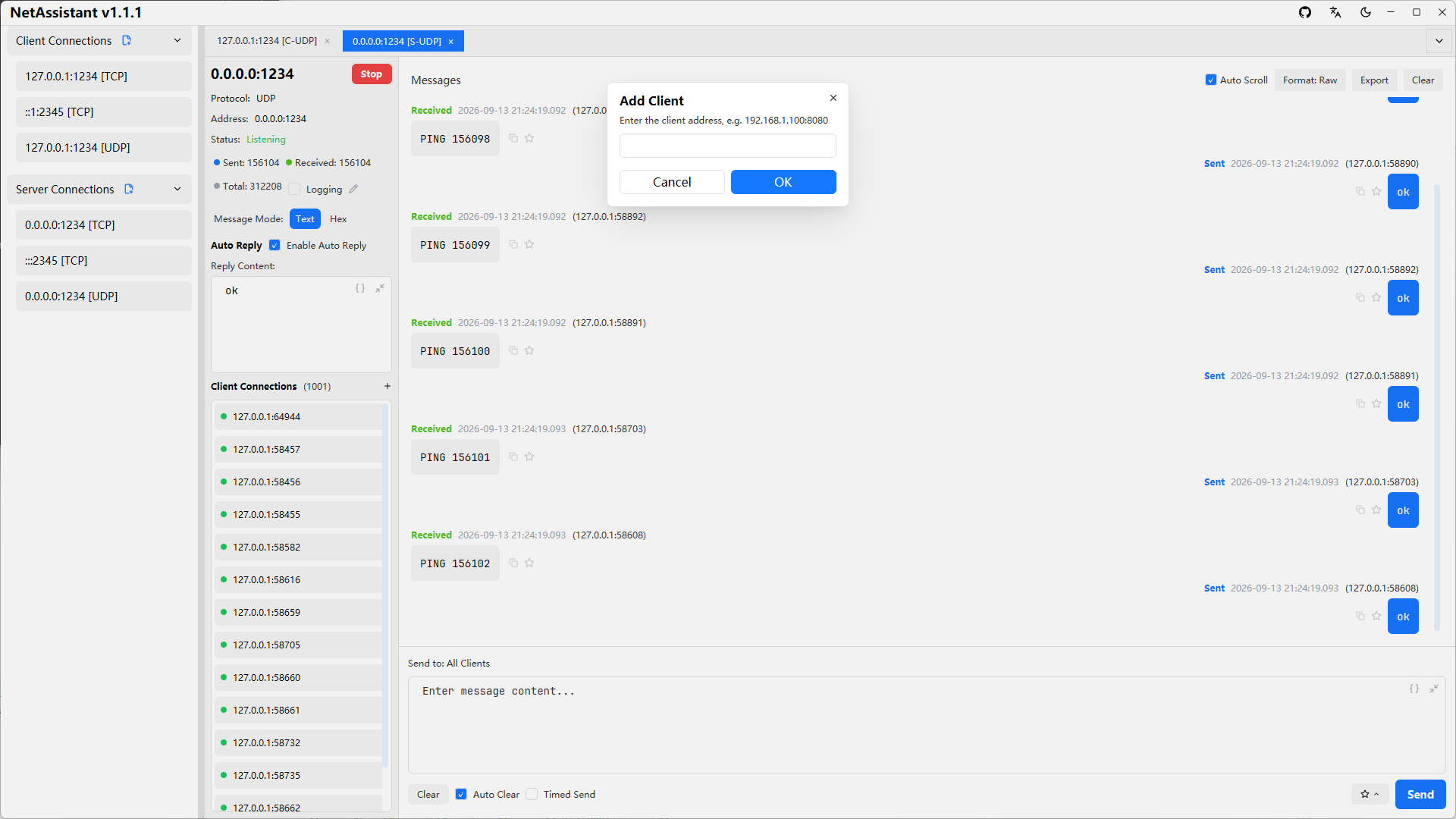
- Manual client addition for UDP: in UDP server mode, add client addresses manually to proactively send data to a specific address
- Keyboard shortcuts:
Ctrl+Enterto send,Ctrl+Tab/Ctrl+1..9/Ctrl+Wto manage tabs,Ctrl+Fto search messages,Ctrl+Nfor a new connection andCtrl+Kto focus the message input — all working regardless of the current focus
Technical Highlights
⚡ Blazing Performance
- Powered by Rust: zero-cost abstractions, memory safety, no garbage collection
- Tokio async runtime: high-performance event loop based on epoll/kqueue, supporting million-level concurrent connections
🎨 Modern Interface
- GPUI framework: GPU-accelerated rendering and text rendering, smooth 60fps experience
- Adaptive theme: automatically follows the system light/dark mode
- Responsive design: adaptive layout that fits different screen sizes
🔧 Architecture
- Standalone stress engine: pure logic layer with zero GPUI dependency, easy to reuse and test; token-bucket-based rate limiting for precise send-rate control
- Decoupled core logic and UI: message handlers are independent of the UI layer; the network protocol layer and the UI layer are cleanly separated
Benchmarks
During development, NetAssistant was stress-tested against itself using the built-in stress engine, which helped discover and optimize several performance bottlenecks (batched message updates, batched log writes, etc.):
| Metric | Result |
|---|---|
| Startup time | < 100ms |
| Memory footprint | < 20MB |
| UI responsiveness | 60fps rendering |
Use Cases
- Developer communication verification: backend developers simulate hardware sending data before integrating with it; test communication logic and data formats between client and server to verify server correctness and robustness
- Hardware device testing: hardware engineers test sensors, controllers and other devices; embedded developers verify the network protocol stack implementation and transmission efficiency of resource-constrained systems
- Service performance stress testing: evaluate concurrency throughput, latency distribution and stability of your own server, and locate performance bottlenecks quickly